Guide

How Intelli-Cash works, screen by screen

Three people use this app for three different jobs: a group keeps its record book, a member checks their own savings, and a field agent supports the groups they look after. Each has a walkthrough below, with the actual screens.

Before you start

Which account do you need?

The kind of account you choose decides what the app shows you from then on. You are never asked to set up a group in order to look at your own savings.

Our GroupKeeps the group’s record book on this phone — meetings, savings, loans, welfare and votes.
One per group, usually held by the secretary or treasurer. Asks for a group name when you register.
Just MeShows one person their own savings, shares and loans.
Read-only. Joining a group needs a code from its officials, and the group approves you before you appear in their book.
Field AgentA Village Agent or CBT supporting several groups: caseload, visits, assessments and coaching.
Asks for a county when you register. An agent can record what they see but cannot alter a group’s money.
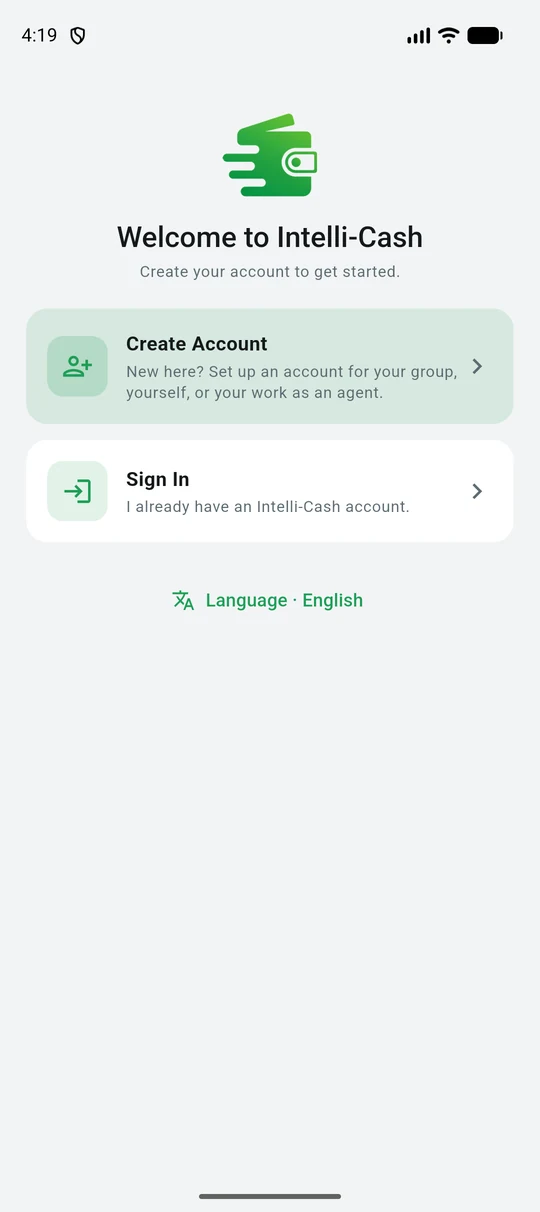
The Intelli-Cash welcome screen with Create Account and Sign In
The first screen. Change the language here before anything else if you would rather not work in English.
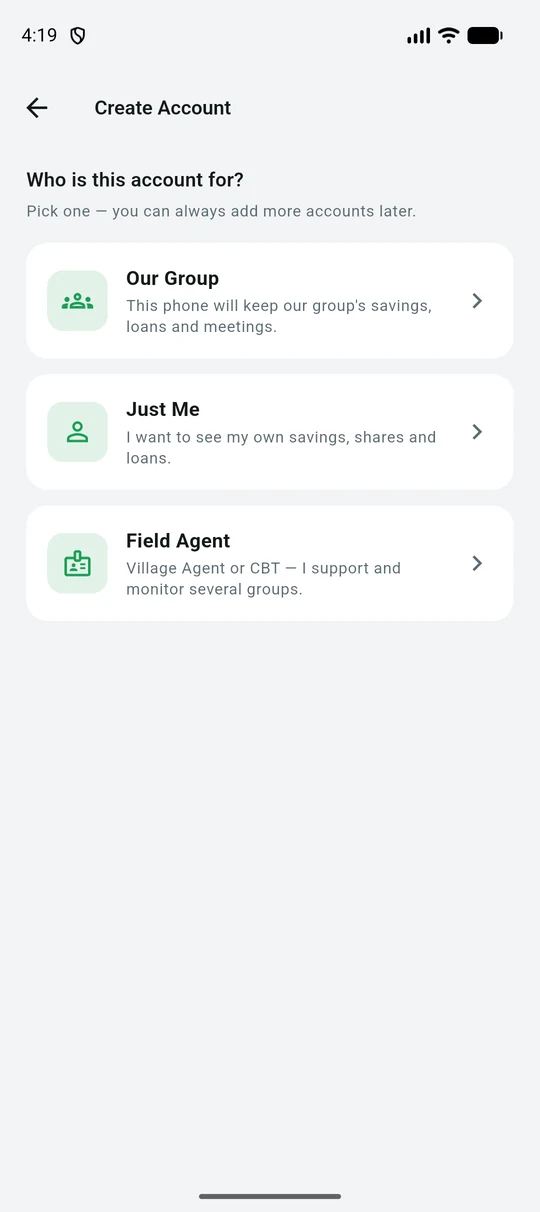
Choosing between Our Group, Just Me, and Field Agent
The three account types, each with a line describing who it is for.
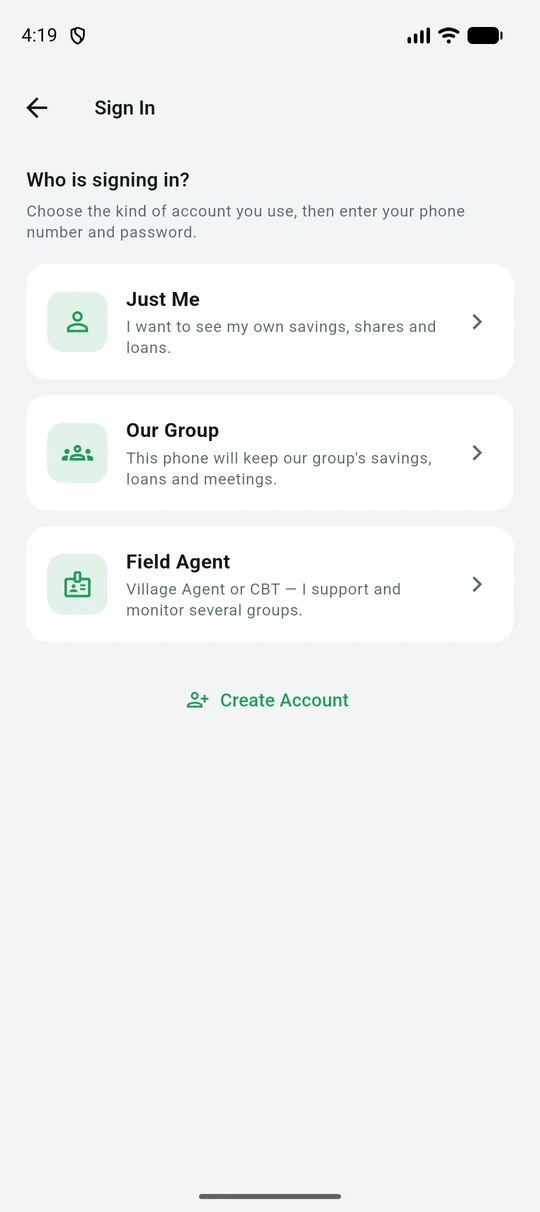
The sign-in screen asking which kind of account is signing in
Signing in asks the same question, so a shared phone can move between accounts without confusion.
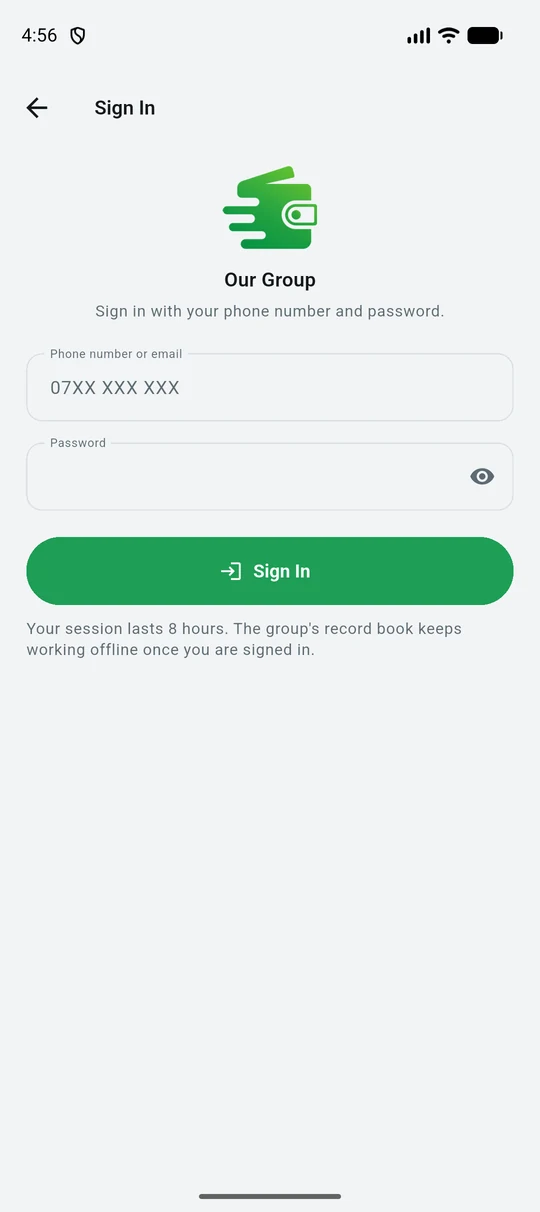
The group sign-in form asking for phone number and password
Your phone number is your sign-in. A session lasts 8 hours; the record book keeps working offline once you are in.

Registering

What each account asks for

Creating an account needs an internet connection — it is the one step that cannot be done offline, because the account has to exist on the server before this phone can hold anything against it.
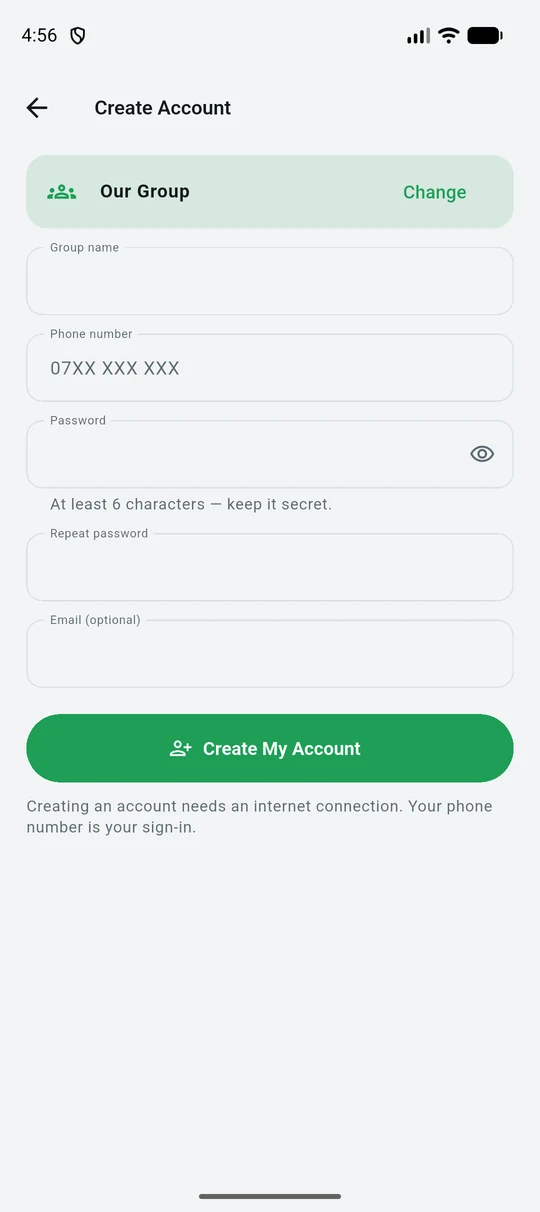
Creating a group account, asking for a group name
A group registers with its NAME, a phone number and a password. That phone number becomes the group's sign-in.
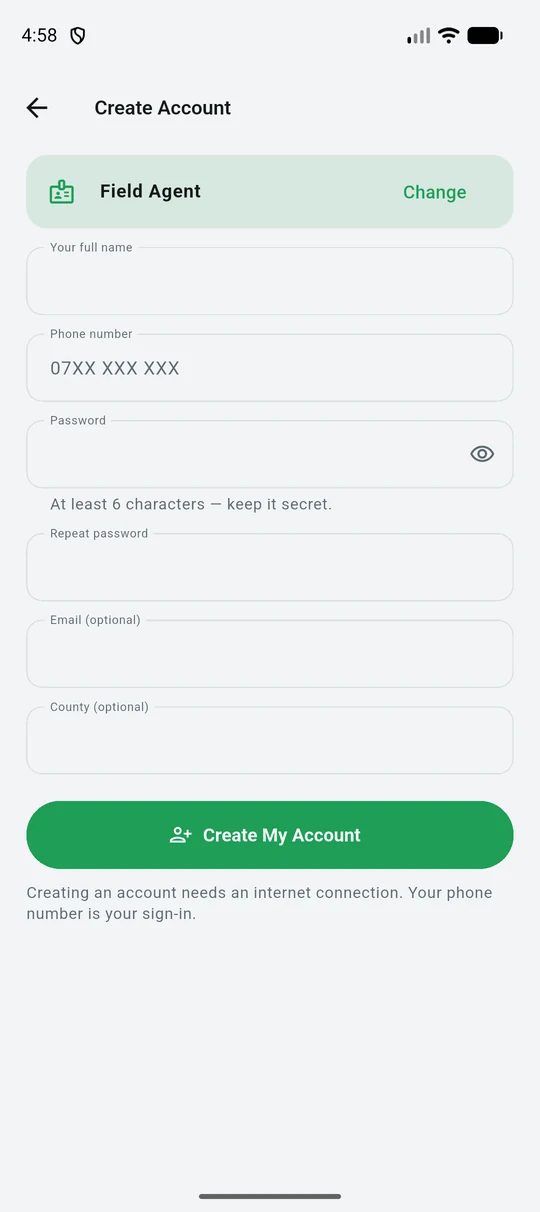
Creating a field agent account, asking for a county
An agent registers with their own name and, optionally, the county they cover — which is how their caseload is organised.
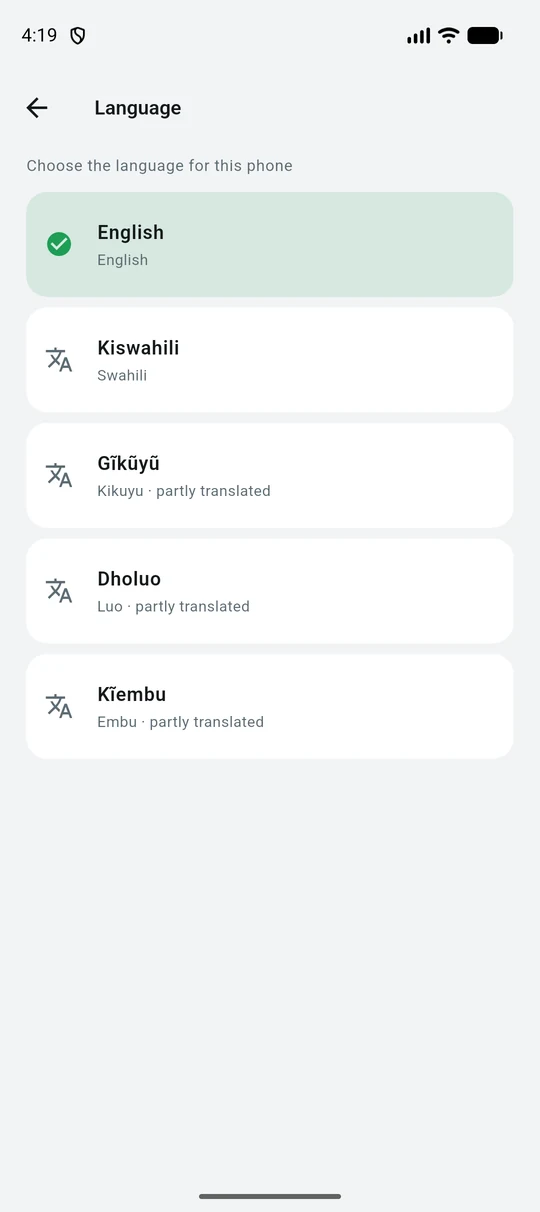
The language picker showing English, Kiswahili, Gikuyu, Dholuo and Kiembu
Five languages. The ones still being translated say so rather than silently falling back to English.

For a group

Running the record book

The group account is the record book. Every figure is written on the phone first and sent to the office when there is internet, so a meeting in a place with no signal runs exactly as it would with one.

A meeting, in order

The app walks a meeting through the same 8 steps every time, so nothing is skipped and the minutes always read the same way:

  1. 1. Opening & 3-Key Security
  2. 2. Minutes Review
  3. 3. Social Fund Round
  4. 4. Loan Repayments
  5. 5. Share Purchase
  6. 6. Loan Applications
  7. 7. Resolutions & General Votes
  8. 8. Closing

A meeting opens only when three officials each enter their own 4-digit PIN, or five members do — whichever the group reaches first. No single person can open the book alone, which is the point: the phone should be no easier to misuse than a cash box with three padlocks.
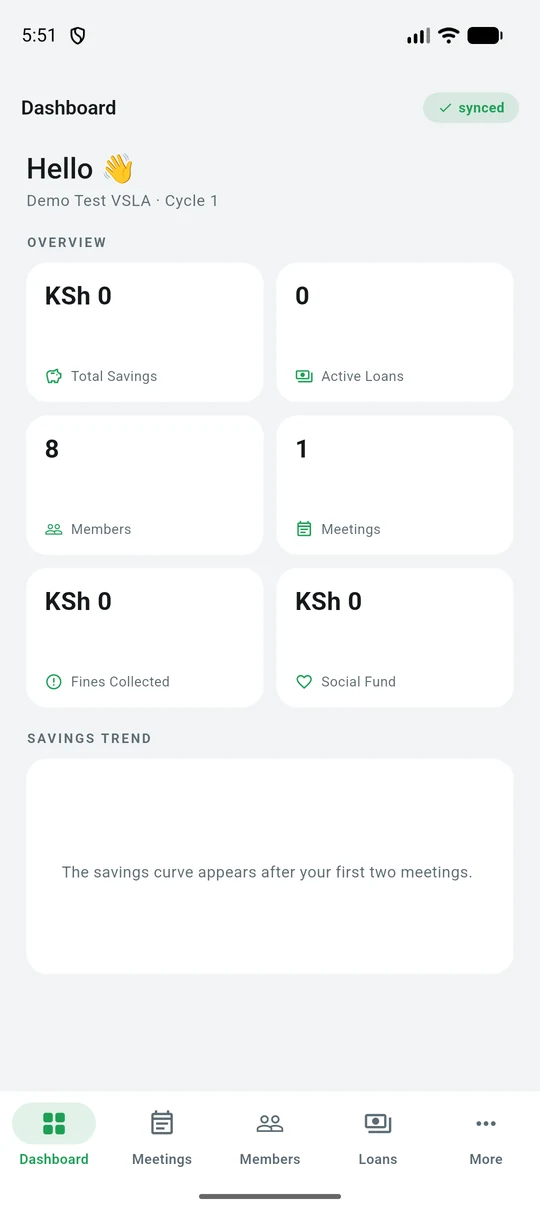
The group dashboard showing savings, members, meetings, fines and social fund
The dashboard: savings, active loans, members, meetings, fines and the social fund — with the sync state in the corner, so you always know whether the office has today's figures.
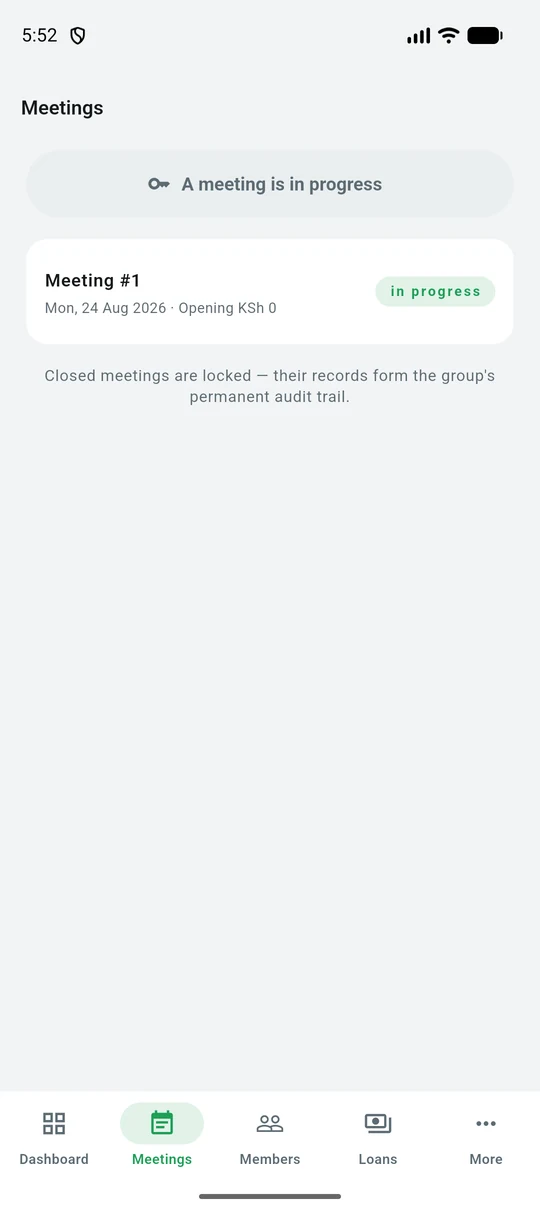
The meetings list showing one meeting in progress
Meetings. A closed meeting is locked — its records are the group's permanent audit trail — so the list says so rather than leaving you to find out.
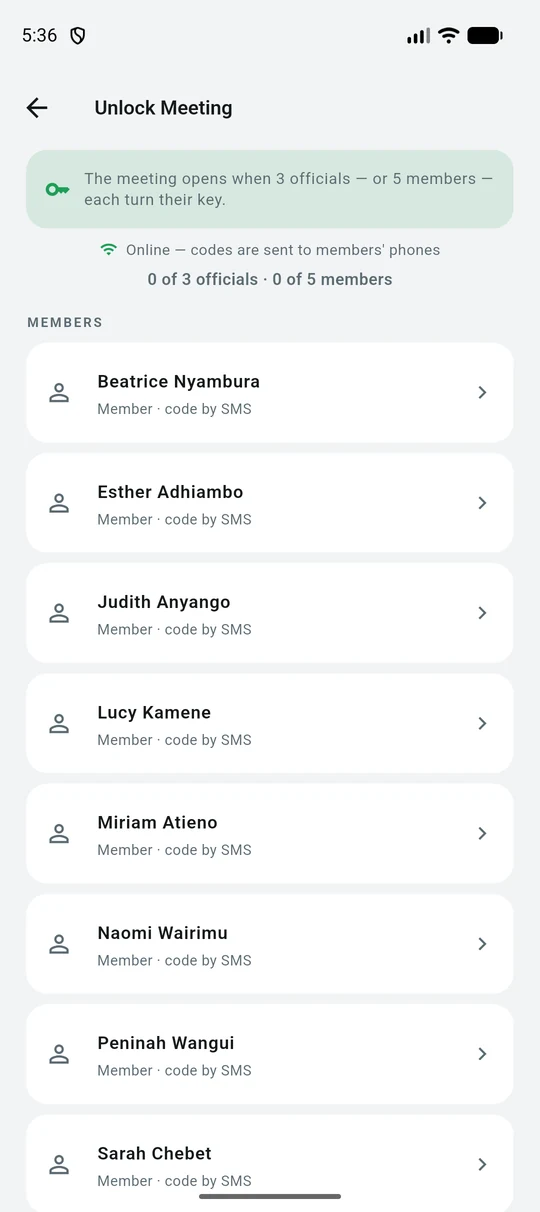
The unlock screen counting officials and members who have turned their key
Turning the keys. It counts as it goes — 0 of 3 officials, 0 of 5 members — so the room can see how close the meeting is to opening and who still has to confirm.
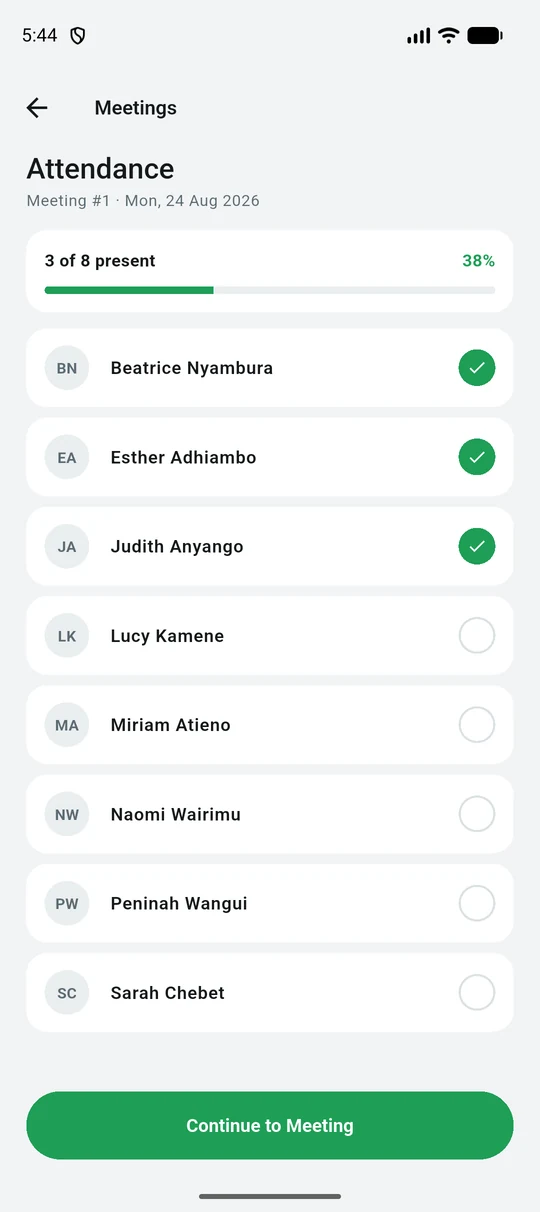
Marking attendance, showing 3 of 8 present
Attendance first, with a running count and percentage. Everything after this is recorded against the people who were actually there.
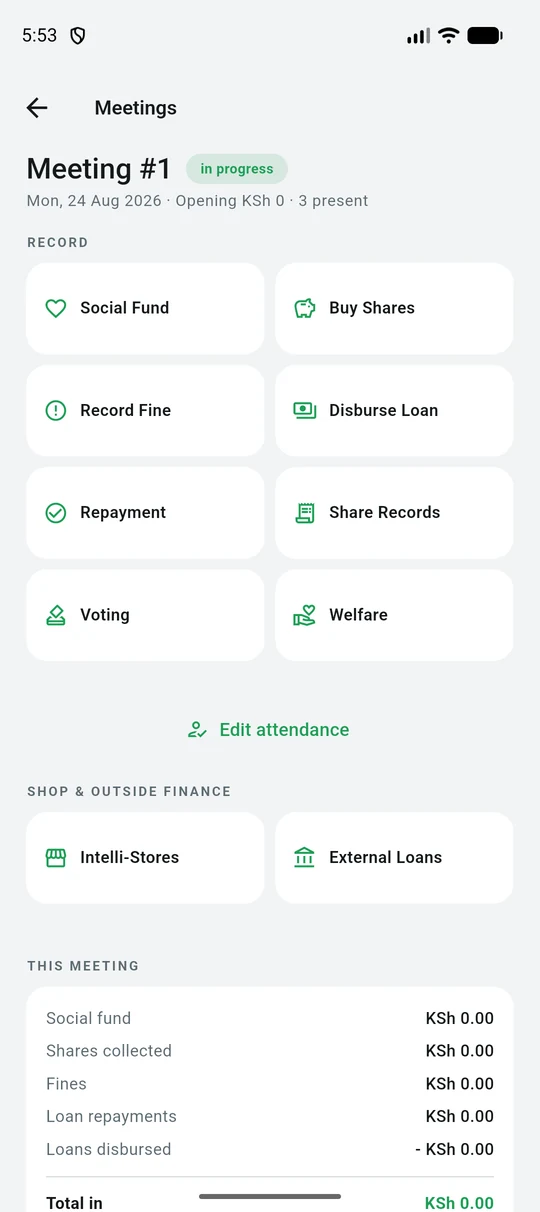
The open meeting with tiles for social fund, shares, fines, loans, voting and welfare
The meeting itself. Every action the group takes together is one tap away, and the running totals for this meeting sit underneath.
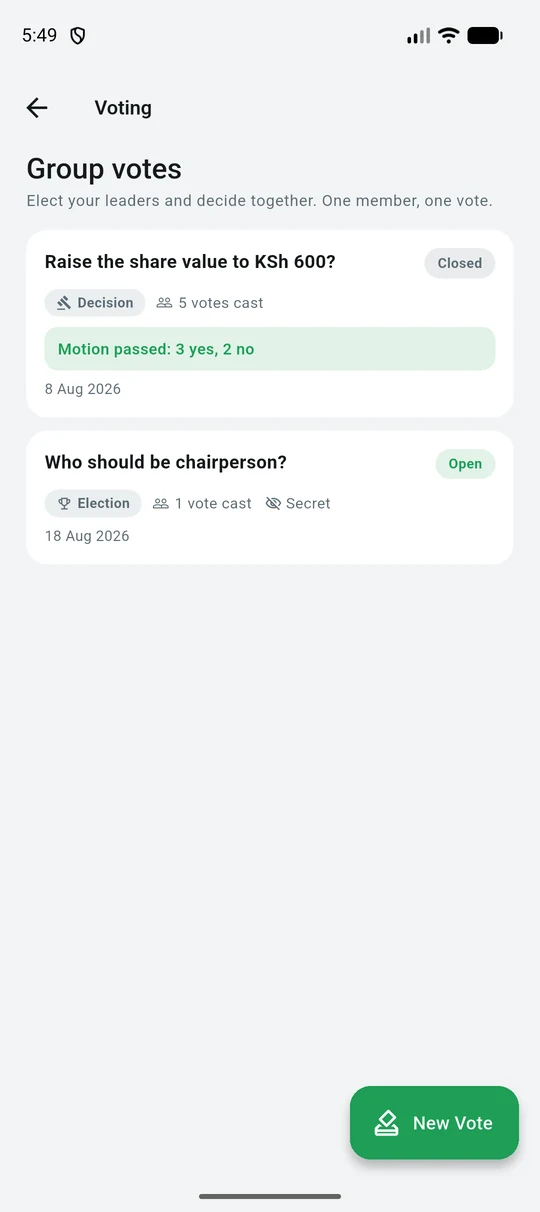
Group votes showing a passed motion and an open election
Votes and elections. A decision records the tally; an election can be secret. One member, one vote.
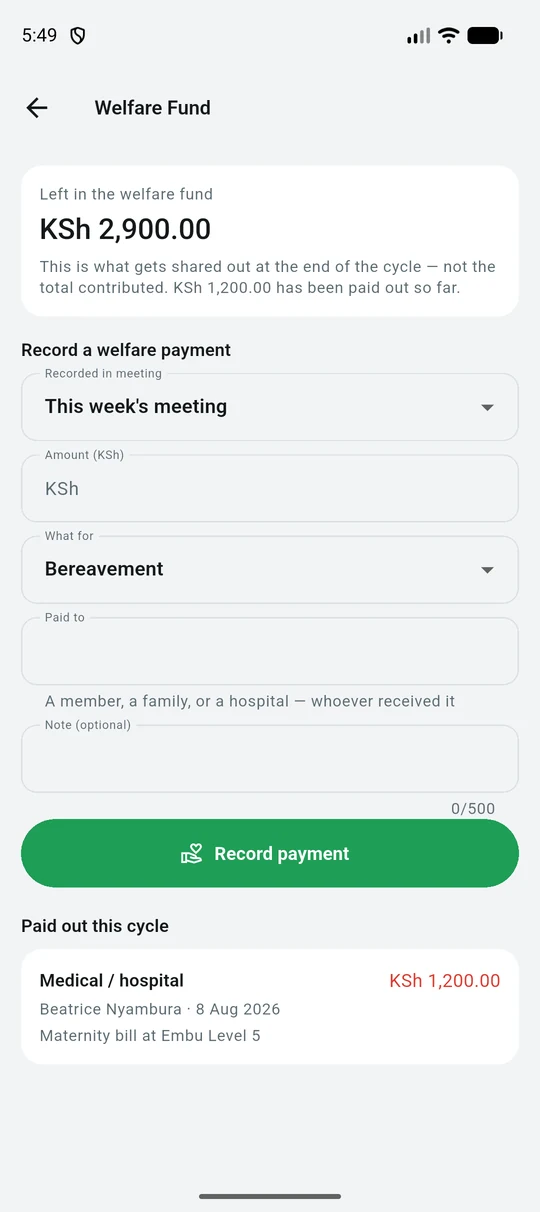
The welfare fund screen
Welfare sits beside Voting, because a payout is agreed in the meeting the same way a motion is.
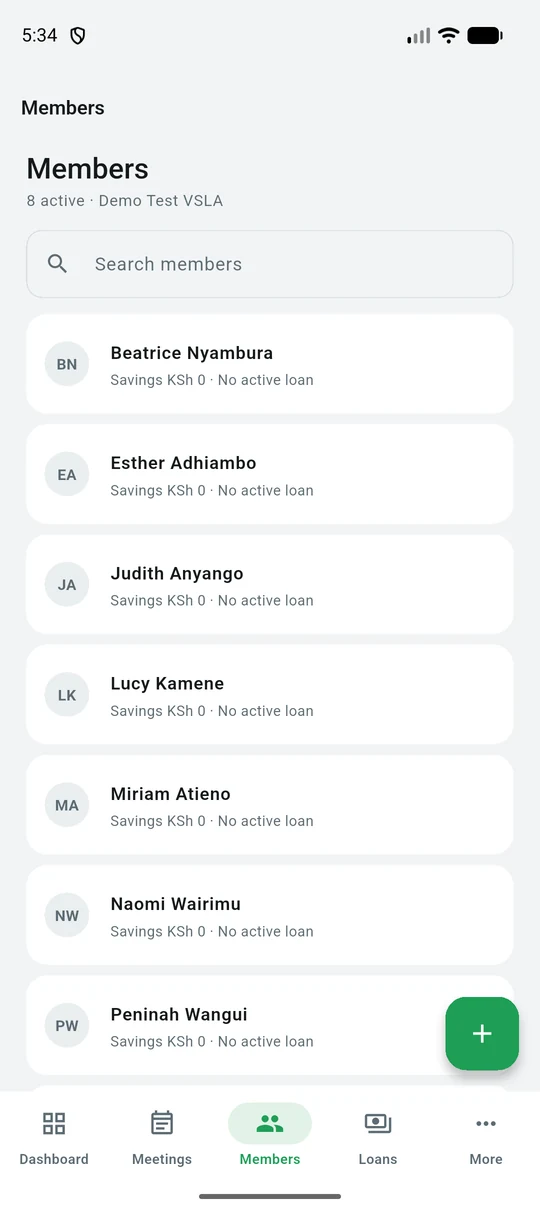
The member list showing savings and loan standing for each member
Members, searchable, each with their savings and whether they hold a loan.
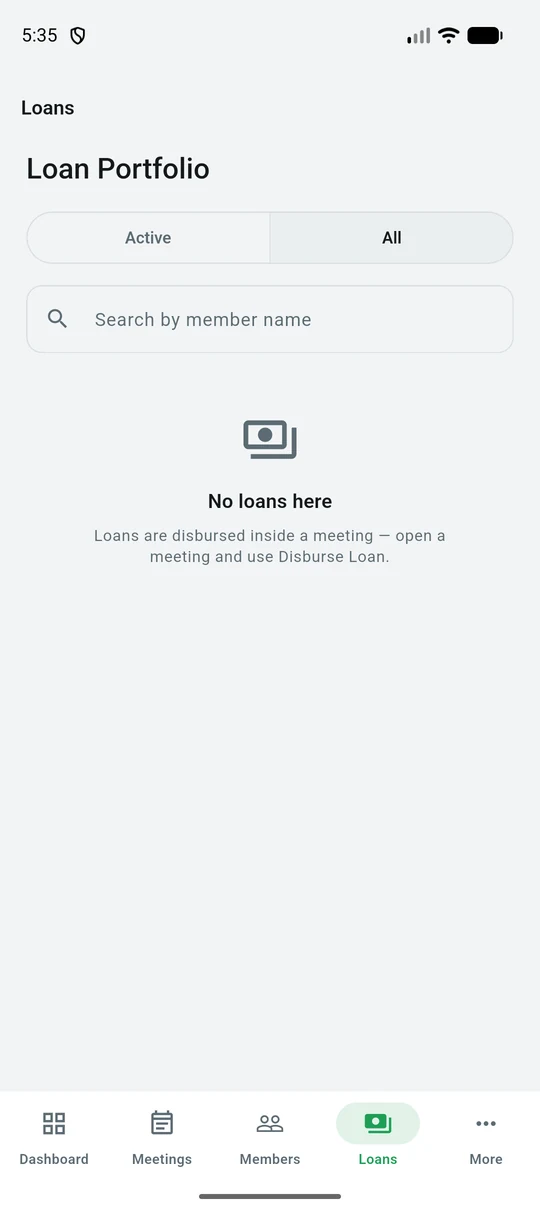
The loans tab for the group
Loans the group has out, what is owed, and what has been repaid.
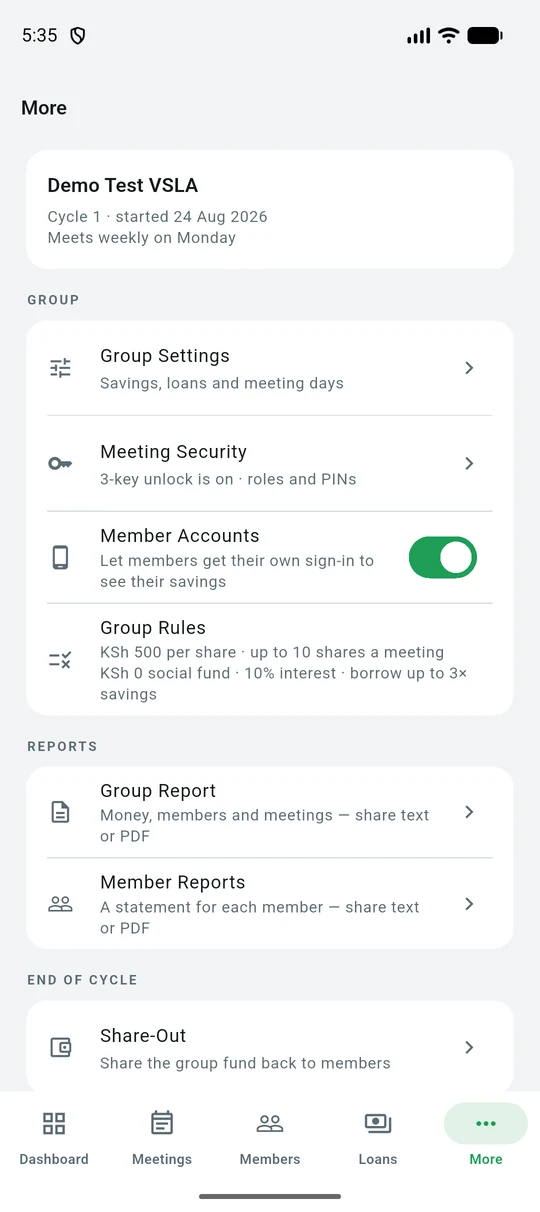
The More tab with group settings and reports
Everything set up once rather than every meeting: the group's rules, cycles, reports and the account screen.

For a member

Checking your own savings

A personal account shows one person their own record — the same figures the group’s book holds, not a separate copy that can drift out of step. If you save with more than one group, all of them appear under the one account.
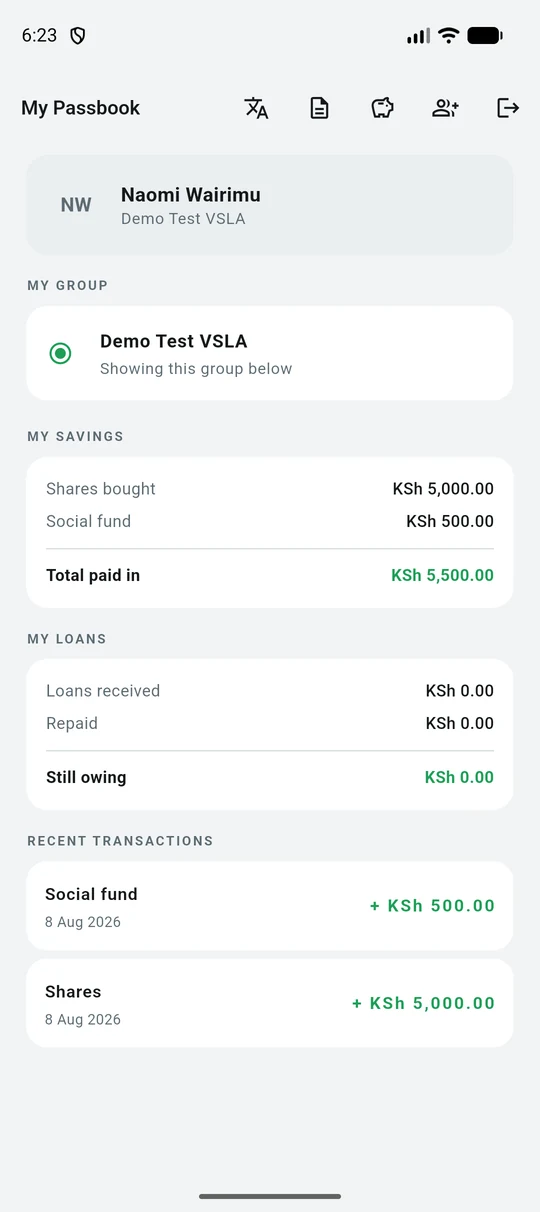
My Passbook showing shares bought, social fund, loans and recent transactions
Your passbook. Shares bought, social fund, what you have borrowed and what is still owing — then every transaction underneath, newest first.
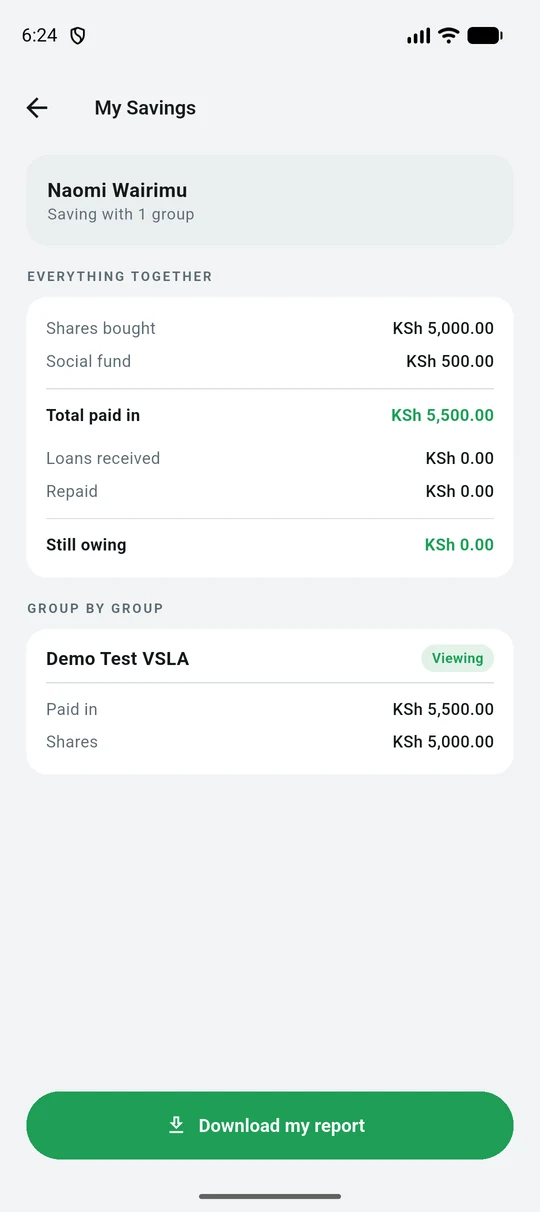
My Savings totalling one member's savings across the groups they belong to
My Savings adds up every group you belong to, then breaks the same total down group by group. A member in three groups sees one figure, not three books.
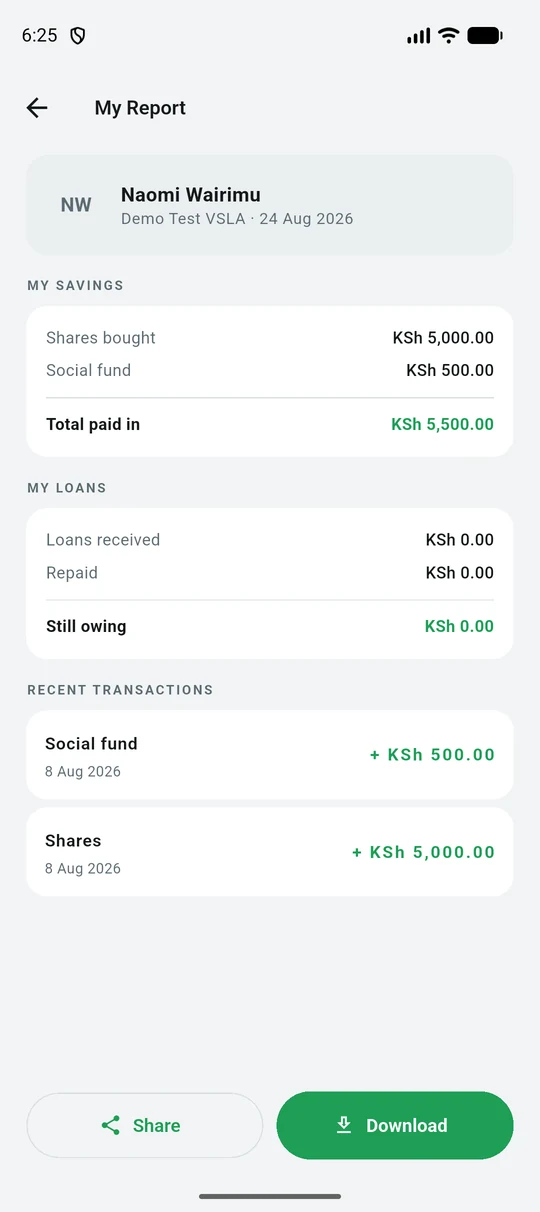
My Report, a dated statement of savings, loans and recent transactions
My Report is a dated statement you can share or download — useful when a lender, a chief or a family member asks what you have saved.
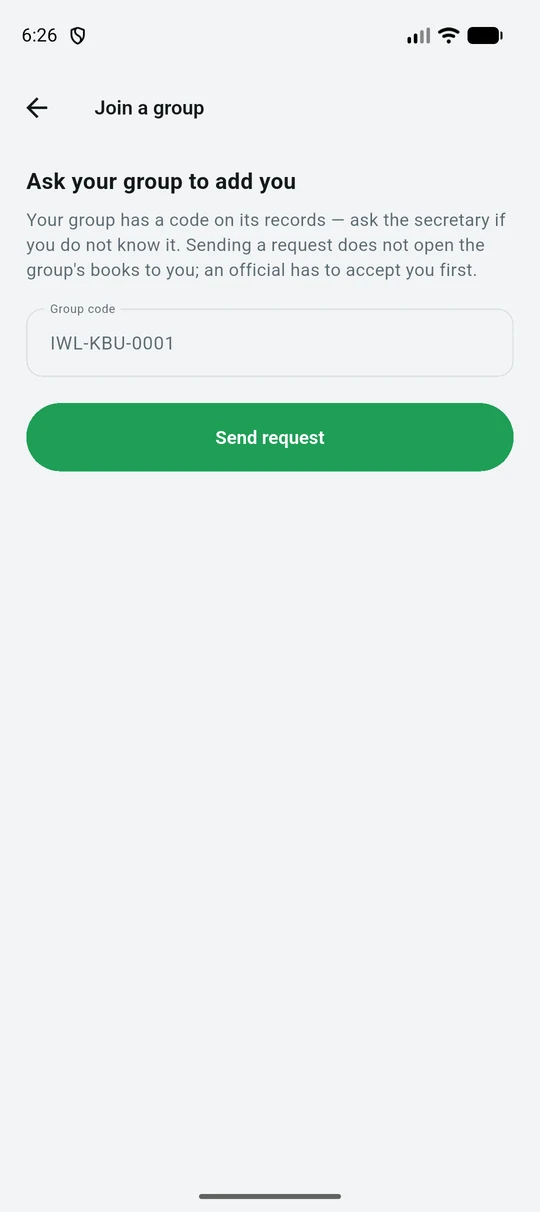
Join a group by entering the group code
Join a group with the code its officials give you. Sending the request does not open the group’s books — an official has to accept you first.

For a field agent

Supporting your groups

An agent sees the groups they are responsible for, records visits, and scores each group against the assessment. What an agent writes is evidence about a group — it never moves the group’s money, and the whole visit is held on the phone until there is signal, because the places that most need a visit are the ones with least coverage.
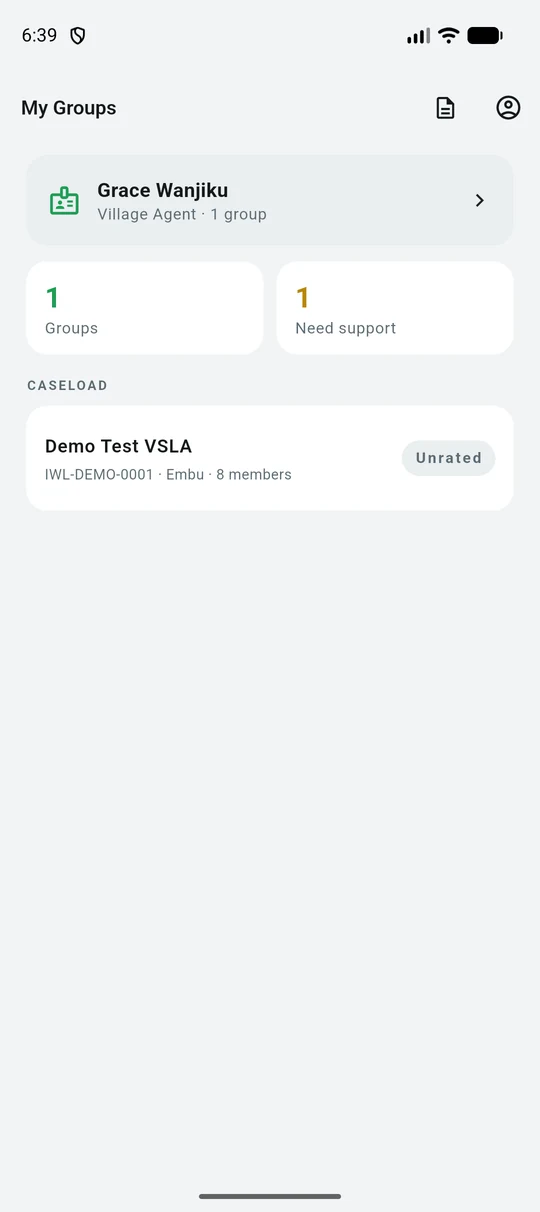
An agent caseload listing each group with its credit band
Your caseload, with a count of how many groups need support. Each group carries its rating, so the ones to visit first are visible without opening any of them.
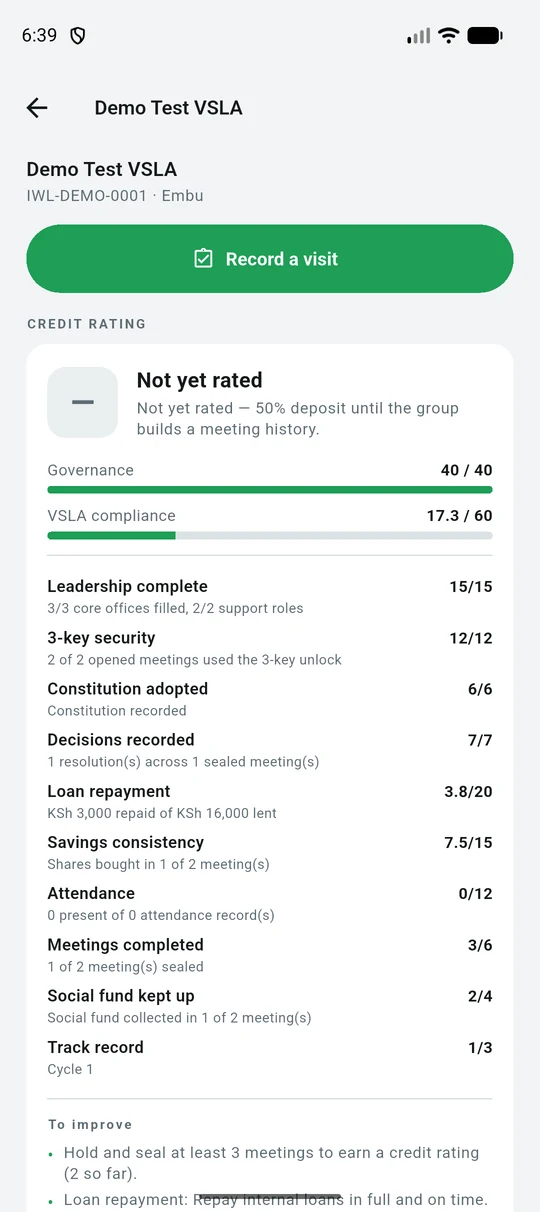
A group's credit rating broken down factor by factor
A group's standing, explained factor by factor — leadership, 3-key security, loan repayment, attendance — and ending in a plain list of what would raise it. Not a single number you cannot argue with.
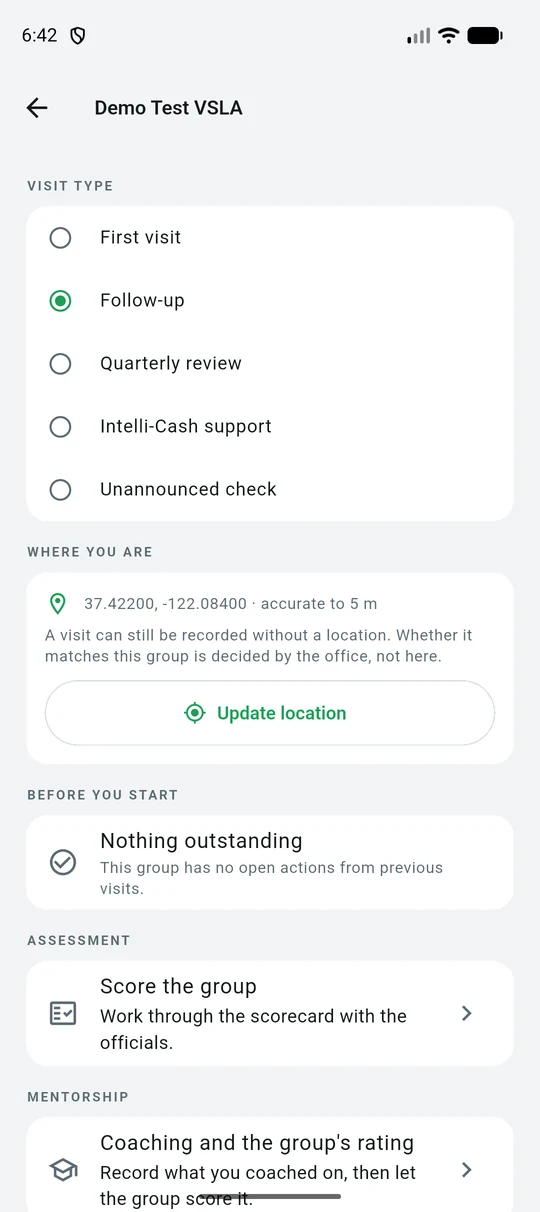
The visit form: visit type, GPS location and open actions from last time
Opening a visit. Your coordinates and their accuracy are recorded; whether they match the group's registered point is decided by the office, not by the phone. Anything the group still owes from last time is shown before you start.
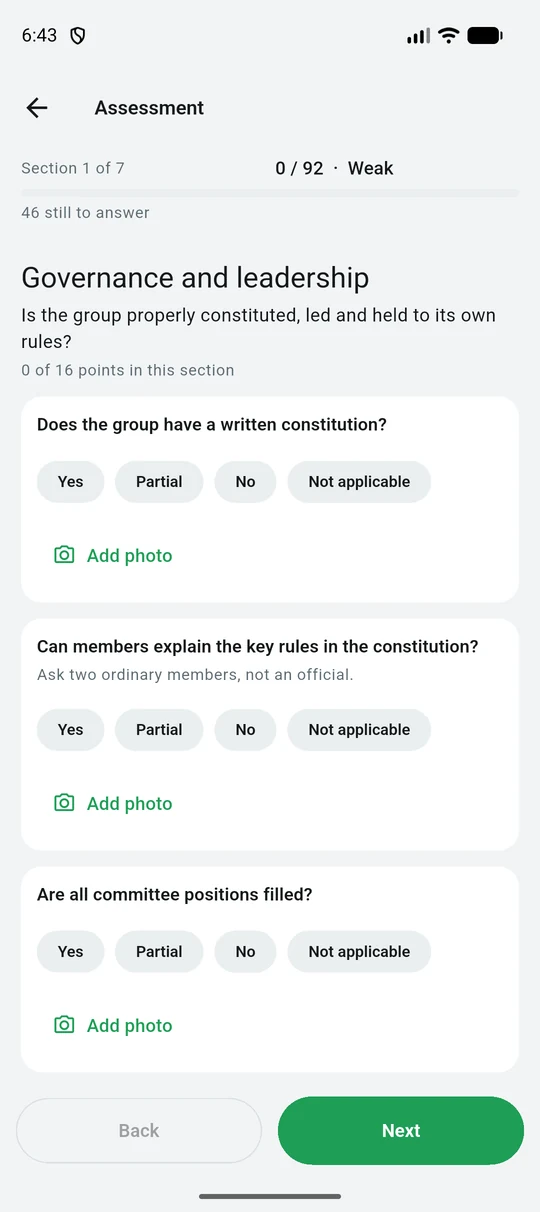
The 92-point scorecard, one section at a time
The scorecard: 7 sections, 92 points, one section at a time. Yes, Partial, No or Not applicable, with the running score and band always on screen so you can tell the group how they did before you leave.
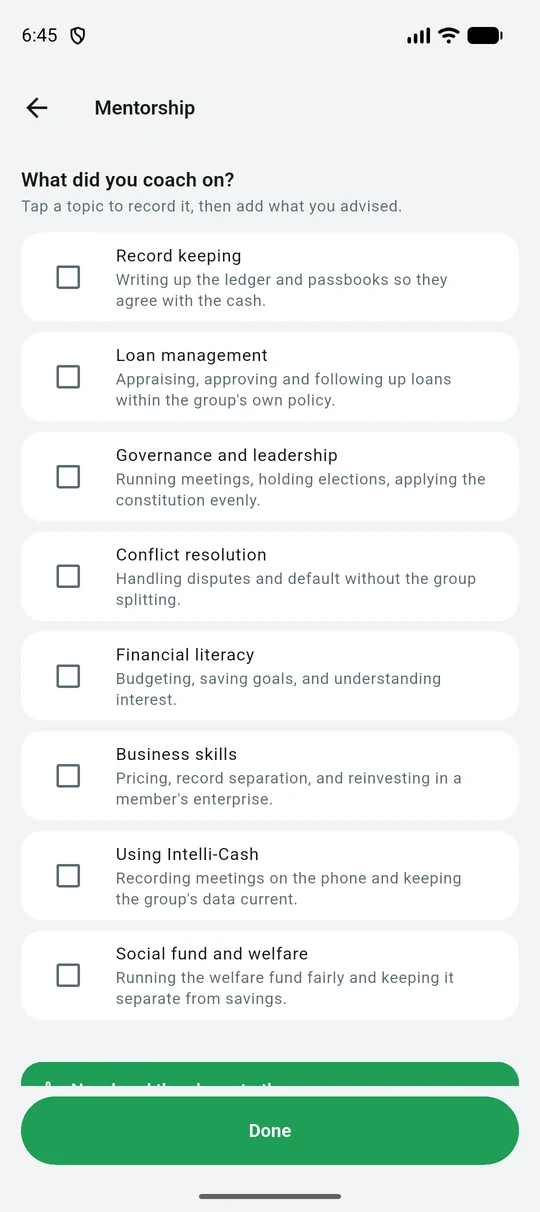
Mentorship topics an agent can record having coached on
What you coached on, from a list the office maintains — so a quarter's coaching can be counted across every agent, not just described.
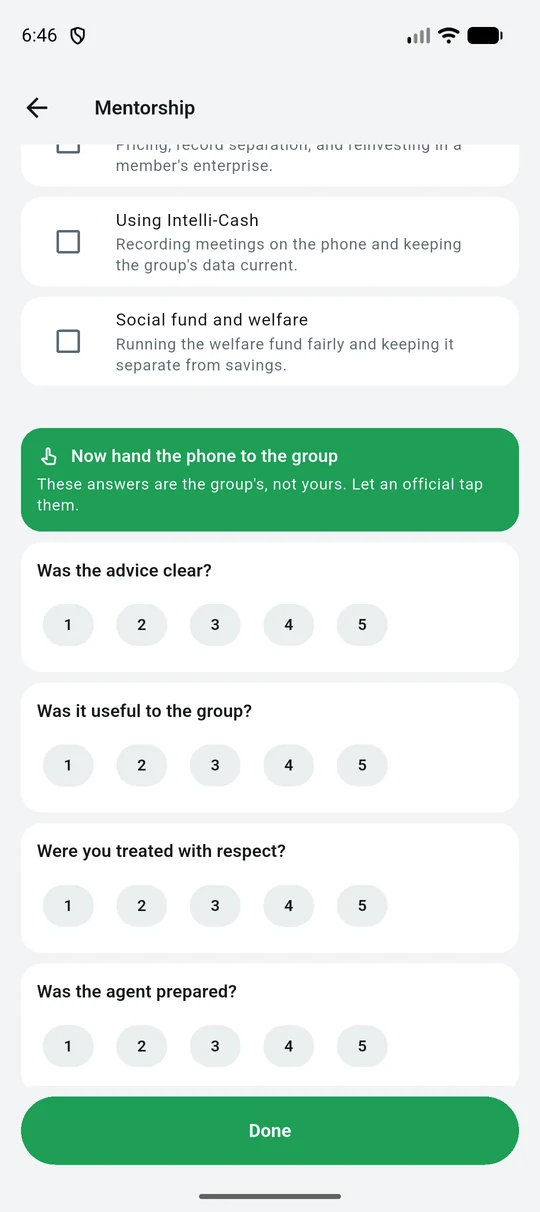
The group rating the coaching session out of five
Then you hand the phone over. The group rates the session, not you — an agent scoring their own coaching would be uniformly high and worth nothing in aggregate.
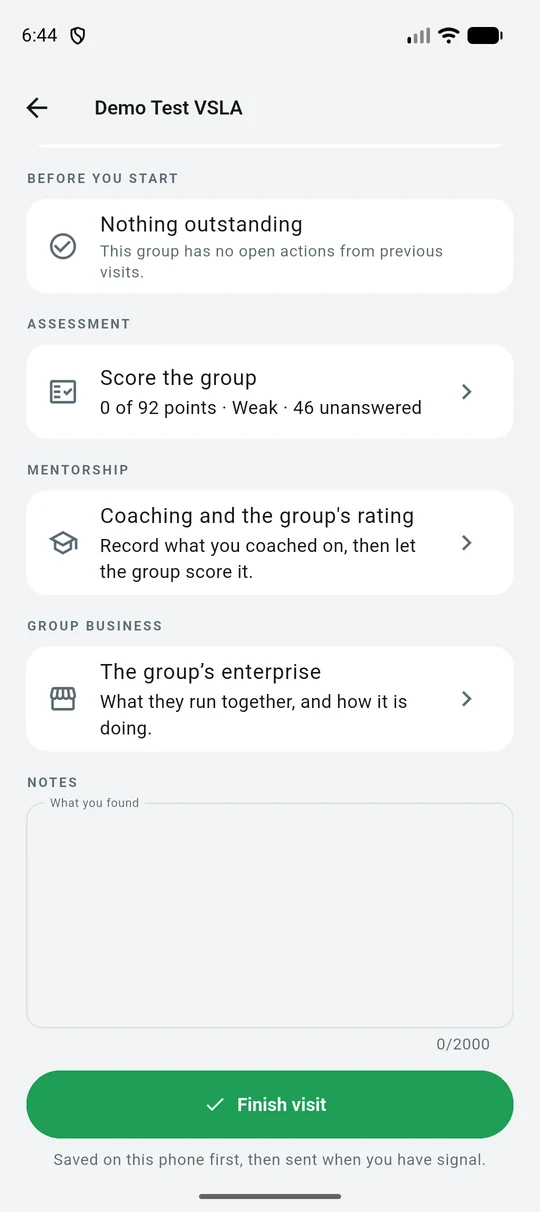
The whole visit document with a Finish visit button
One visit is one document: scorecard, coaching, the group's enterprise and your notes. Finish saves it on the phone and sends it when there is signal.
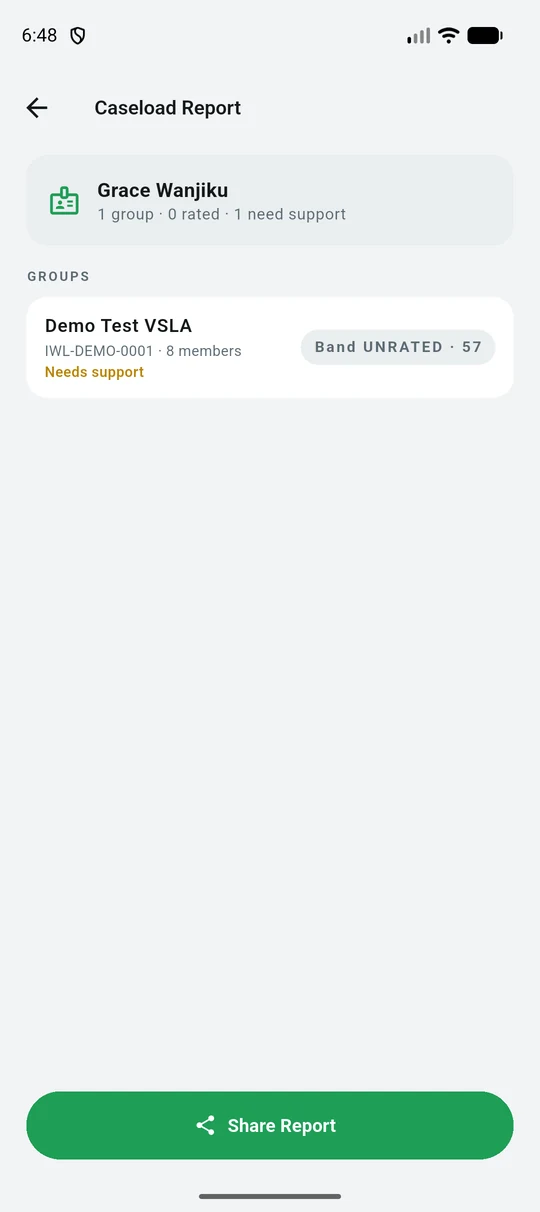
A caseload report an agent can share
A caseload report you can share from the phone — how many groups, how many rated, how many need support.

Working without signal

What happens with no internet

Runs offlineMeetings, attendance, share purchases, loan repayments, welfare, votes and the whole record book. Everything is written to the phone as it happens.
Needs internetCreating an account, signing in for the first time, joining a group, and anything that reads live figures from the office.
How it catches upRecords queue on the phone and are sent when signal returns. A record is only removed from the phone once the office has confirmed it — an interrupted upload is retried, never dropped.

Keeping the book safe

PINs, passwords and who can see what

Your passwordSigns you in to your account. At least 6 characters, and never shown back to anyone — not even to support staff.
Your meeting PIN4 digits, chosen by you, used to turn your key when a meeting opens. Obvious values like 1234 or 0000 are refused.
If a PIN is forgottenIt cannot be looked up. It is stored in a form nobody can read back, so an official sets a new one instead.
Who sees a member’s detailsThe member, their own group, and platform administrators. Everyone else sees a phone number masked to its last three digits. Full detail is in the privacy notice.

The words used

Terms you will see

ShareOne unit of savings. A group sets what a share is worth and how many a member may buy at a meeting.
Social fundA small separate pot for emergencies — kept apart from savings, and paid out by agreement rather than lent.
CycleOne saving period, usually a year. At the end the group shares out what it holds and starts again.
Share-outClosing a cycle: every member receives their savings plus their portion of what the group earned.
Credit ratingA score worked out from the group’s own record — meetings held, repayments made, savings kept up. It is calculated, never entered by hand.
Assessment bandA different thing from the credit rating, and the two can disagree. This one comes from the scorecard an agent fills in with the officials, scored as a percentage of whatever the current template is worth: Weak below 40%, Fair from 40%, Good from 60%, Excellent from 80%. The credit rating is machine-derived from the ledger; the band is what a person saw on the day.

If something is wrong

Getting help

The app says there is no connectionKeep working. Meetings, savings and loans are recorded on the phone and sent when there is internet. Nothing is lost.
A member forgot their PINIt cannot be looked up. An official sets a new one for them, and the member chooses 4 digits of their own.
You were signed out unexpectedlySessions last 8 hours. Sign in again; the records already on the phone are untouched.
A meeting will not openThree officials must each turn their key, or five members. Check who has entered a PIN — the screen shows the count so far.
A figure looks wrongRecords are append-only: nothing is edited away. Raise it with your officials, who can add a correcting entry that leaves the original visible.
Anything elseEmail support@intellicash.co.ke.
How to use Intelli-Cash | Guide